
In msn, under the File Transfer Options, we have to set the file scanner for handling the files our friends share with us.
If you are an AVG user, you might probably be asking, which one is the file scanner? Because there are so many executable files in the AVG folder, so this is a problem i faced when trying to setup file scanner for MSN File Transfer Options.

I am currently using the AVG9. So, the AVG file scanner is the avgscanx.exe (might varies for different versions). But we don't just point to this executable file in MSN for the file scanner. In fact, the avgscanx.exe is a command which requires us to input in parameter(s). The following is the list of parameters options for this command.
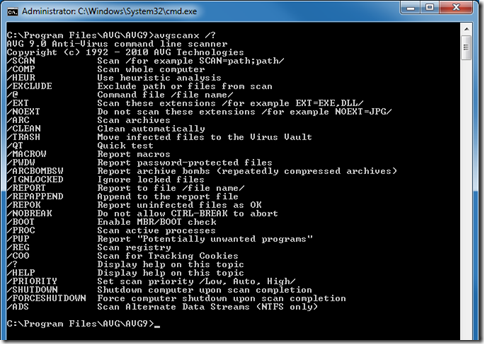
So we have to create a batch file with the following content:
@echo on
"C:\Program Files\AVG\AVG9\avgscanx.exe" /SCAN=%1 /HEUR /ARC /PUP /CLEAN
pause
And then save it at any place as any name you like as long as it is a batch file (eg. E:\ScanAVG9.bat). Go to the MSN File Transfer Options to browse to the folder you just saved your batch file.
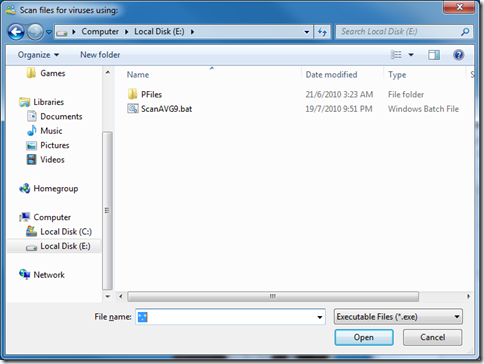
When you reached there you will notice that the batch file is not shown up. Type in “*.*” in the FIle name text field and press enter, this will show all files in the folder and therefore also show up your batch file. Select it, click open and there you go.
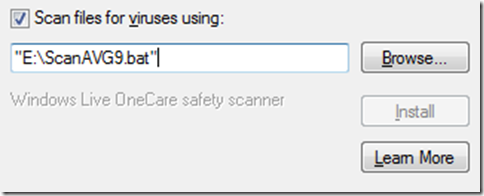
Now when ever after your friends sent you files, a command prompt will popup and do the scanning and show you the results of the scan that looks similar to the following screenshot.

Info reference from: http://www.mydigitallife.info/2009/07/07/how-to-use-avg-anti-virus-scanner-with-msn-windows-live-messenger-winzip-winrar-download-express-miranda-im/

Actually, you can just forget about the batch file, and just put this following line into the msn settings screen:
ReplyDelete"C:\Program Files\AVG\AVG9\avgscanx.exe" /TRASH /ARC /PUP
(make sure the path to the avgscanx.exe is correct).
The /TRASH automatically quarantines infected files, /ARC and /PUP lets it scan also archives and unwanted programs. This setup guarantees that you will not be disturbed with a virus scan screen unless the file is unsafe! The rest of this post is good :)